


Inside the Google Gemini Update for the All-New Mazda CX-5
October 30 2026,
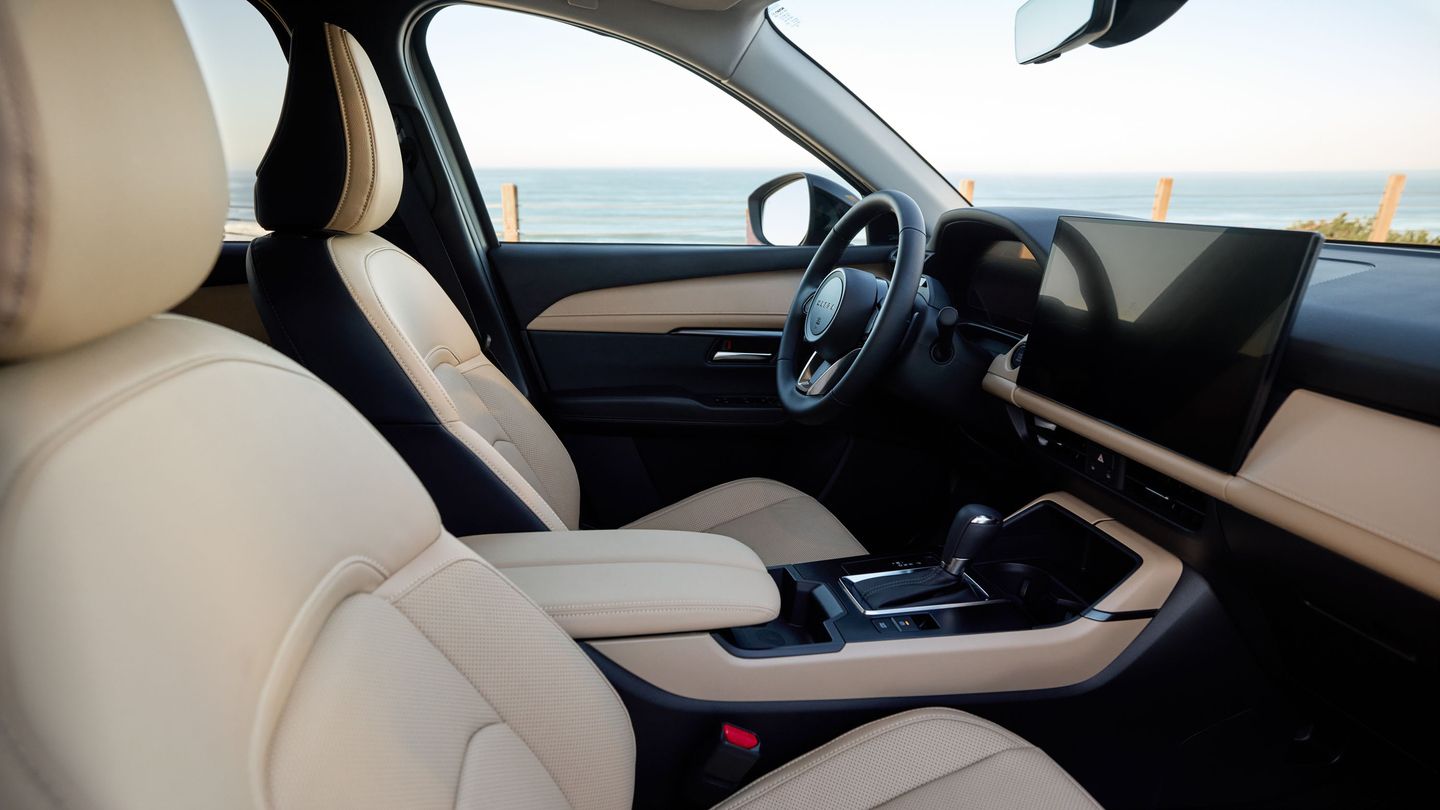
Google Gemini now runs inside the all-new Mazda CX-5 equipped with Google built-in. Mazda Canada announced its availability for eligible users on October 26, 2026, describing it as a more conversational voice experience built to help drivers stay focused on the road.
Headlines tell you that Gemini is here. This article goes a level deeper. We open up each part of the update, from the Google built-in foundation to the fine print, so you know how Gemini works across navigation, entertainment, communication and vehicle controls.
Inside the Foundation: Google Built-In
Gemini sits on top of Google built-in, which is standard on every all-new CX-5 trim: GX, GS and GT. Google built-in puts Google apps and services right on the vehicle’s screen, including Google Maps for navigation and Google Play for in-vehicle compatible apps.
The display is a 12.9-inch full-colour centre touchscreen as standard, with a 15.6-inch version in the GT Premium Package. The interface uses smartphone-style gestures like pinch to zoom and swipe, plus a customizable home screen. Mazda designed this version of Mazda Connect to accept over-the-air updates.
Inside the Conversation

The core of the update is how Gemini listens. Mazda says CX-5 owners can talk to their vehicle in everyday language without relying on specific voice commands.
Gemini also understands context. When you ask a follow-up, it connects that request to what you already said. Mazda calls these multi-step conversations, and they are what make the assistant feel natural to use while driving.
Mazda ties this directly to safety and comfort. By reducing how often drivers divide their attention between the road and the vehicle’s controls, Gemini supports Mazda’s human-centric design approach, where technology helps the driver without competing for attention. Mazda Canada President and CEO Amy Fleming said Gemini helps customers reach information and manage everyday tasks while staying focused on the drive ahead.
Inside Navigation
Navigation is where many drivers will use Gemini most. You can find destinations, restaurants and points of interest with conversational requests and follow-up questions. From there, Google Maps provides real-time traffic updates, route guidance and personalized recommendations along the way.
Turn-by-turn information also shows on the standard 10.25-inch digital instrument cluster. On the GS and GT, the windshield-projected Active Driving Display adds navigation guidance in your line of sight.
Inside Entertainment
Gemini handles entertainment on demand through apps such as Spotify and YouTube Music. It can recommend playlists tailored to your mood or activity, so a quiet commute and a weekend road trip can each get the right soundtrack.
Inside Communication
Gemini lets you send messages, share arrival times and manage communications hands-free with natural, conversational language. It also lets you continue tasks, searches and conversations started on your smartphone through compatible Google services, so a search you began at home can carry straight into the drive.
Inside Vehicle Controls
Gemini can adjust supported vehicle functions, including climate settings, and access vehicle information through everyday speech.
Physical controls remain close at hand too:
- Climate and volume controls are docked at the bottom of the touchscreen.
- The left side of the steering wheel handles volume and entertainment source.
- The right side handles driving functions such as Mi-Drive mode selection.
Inside the Fine Print
Mazda lists a few conditions. Gemini is available to eligible users. Some connected apps require setup, and compatibility and availability vary. Users must be 18 or older, and Mazda lists a compatible Android phone and a compatible active data plan among the requirements.
Mazda adds that Gemini is designed to keep evolving through future software updates, expanded functionality and additional language support.
Inside the Update, at a Glance

|
Area |
What Gemini Brings |
|
Foundation |
Google built-in on GX, GS and GT |
|
Conversation |
Everyday language, context and follow-ups |
|
Navigation |
Google Maps traffic, route guidance and recommendations |
|
Entertainment |
Apps such as Spotify and YouTube Music, mood-based playlists |
|
Communication |
Hands-free messages, arrival times and phone-to-car continuity |
|
Vehicle controls |
Supported settings such as climate by voice |
|
Future |
Software updates, new functions and more languages |
Get Inside the CX-5 at Wolfe Mazda
The quickest way to understand Gemini is to ask it something from the driver’s seat. Come see the all-new CX-5 at Wolfe Mazda in Surrey, and our team will help you try the update for yourself.